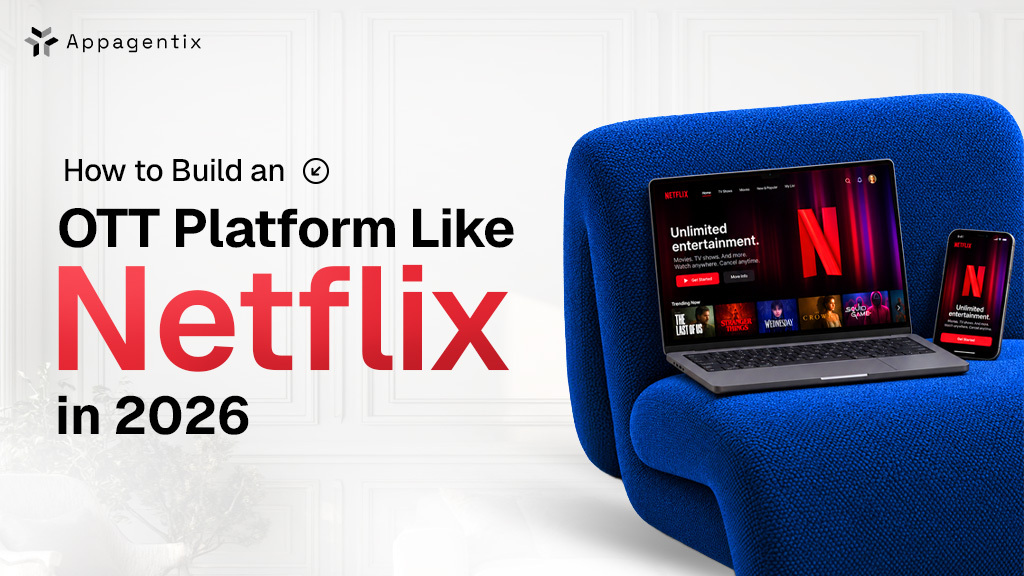
Building an OTT platform like Netflix in 2026 usually costs between $15,000 and $120,000 or more, and most projects take anywhere from 3 to 8 months or longer. Where your project lands in that range depends on how many devices you want to support, how you plan to make money, and how much of the technology you build yourself instead of using ready-made tools.
The range is wide because “OTT platform” can mean very different things. A simple fitness app that runs on the web and iPhone is a much smaller project than a service with live channels, ads and subscriptions on every major TV brand.
If you’re a Founder or media company thinking about launching your own streaming service, this blog is for you. We’ll take you through the business models, must-have features, tech stack, US legal rules, build steps and costs, so you can plan your project accordingly.
Why build a streaming platform for the US market in 2026
Streaming is now the main way Americans watch TV. In June 2026, streaming took 48.5% of all US TV viewing in Nielsen’s The Gauge, while cable fell to 19.5% (MediaPost).
That viewing is not all going to the giants. Netflix slipped to 7.9% of TV time that month, while The Roku Channel, a free ad-supported service, rose to 3.0% from 2.5% a year earlier.
Advertising is the second signal. Ad-supported TV made up 71.5% of US viewing in Q2 2026, and streaming held 48.2% of that ad-supported time (Advanced Television). For a new platform, ads are now a real revenue path alongside subscriptions.
Step one: decide how your OTT platform will make money
Your revenue model shapes the whole build, so decide it before starting the project.
| Model | How it earns | Best fit | What it adds to the build |
| SVOD (subscription) | Monthly or annual fee | Premium, exclusive or niche libraries | Billing, plans, free trials, churn tools |
| AVOD (ad-supported on demand) | Ads inside on-demand videos | Large, broad audiences | Ad server, server-side ad insertion, ad measurement |
| FAST (free ad-supported TV) | Ads in scheduled linear channels | Deep back catalogs | Channel schedule (EPG), linear playout |
| TVOD (pay-per-view) | Rent or buy per title or event | New releases, live events, courses | One-time payments, entitlement rules |
| Hybrid | Low-price ad tier plus ad-free tier | Scaling services | All of the above, plus tier logic |
Netflix itself runs a hybrid model, offering a cheaper plan with ads alongside its ad-free plans. Most new platforms should launch with one model and add a second once viewing data proves demand.
Features your OTT platform needs at launch
Viewers in the US judge every new service against Netflix, so the basics must work flawlessly. You can add advanced features over time in later versions.
| Area | Must-have at launch | Add later |
| Accounts | Email, Google and Apple sign-in, multiple profiles, parental controls | Household sharing rules |
| Discovery | Search, categories, continue watching, watchlist | AI recommendations, personalized artwork |
| Playback | Adaptive streaming, resume across devices, captions, offline downloads on mobile | 4K and HDR, picture-in-picture, live rewind |
| Payments | Web checkout plus in-app purchase on iOS, Android and Roku | Gift cards, bundles, partner billing |
| Admin panel | Uploads, metadata, scheduling, geo and device rules, user management | Rights-window automation |
| Analytics | Views, watch time, completion rate, churn | Cohort analysis, A/B testing |
Plan your web versus in-app billing mix early. App store commissions cut directly into subscription margin.
The tech stack required for a Netflix-like platform
At launch, it’s smarter to use ready-made video services and only build your own systems once your audience grows big enough to need them. Netflix itself followed this path: it only started building its own content delivery network, Open Connect, in 2011, after its traffic had grown large enough to make it worth the cost.
These are the main parts that make a streaming platform work:
Storage: This is where your original video files live. Most platforms use Amazon S3 or Google Cloud Storage.
Video processing: Every video needs to be converted into several sizes and quality levels, so it plays smoothly on both fast and slow internet. Services like AWS Elemental MediaConvert, Mux and Bitmovin handle this for you.
Streaming formats: Your videos then need to be prepared in formats like HLS and DASH, so they can play on phones, browsers and smart TVs. AWS Elemental MediaPackage and Bitmovin are common choices.
Content protection (DRM): DRM locks your videos so people can’t copy or share them, and most film studios require it before they’ll license content to you. You’ll need Google Widevine, Apple FairPlay and Microsoft PlayReady, which you can get through a single DRM provider.
Content delivery network (CDN): A CDN sends your videos from servers close to each viewer, which keeps playback fast and reduces buffering. Amazon CloudFront, Akamai and Fastly are popular options.
Ad insertion: If you plan to show ads, you’ll need a tool that adds them into the video stream, such as AWS Elemental MediaTailor or Google Ad Manager.
Video players: Each device needs a player that can actually play your videos. Common choices are Media3 for Android, AVPlayer for Apple devices, Shaka Player for the web and Roku’s own SceneGraph for Roku TVs.
Backend: This is the engine behind your app. It handles user accounts, your content library, who can watch what, and billing. A typical setup uses Node.js or Go, a PostgreSQL database, Redis for speed and Stripe for payments.
Keep in mind that Americans watch on their TVs as much as on their phones, so you’ll likely want apps for Roku, Amazon Fire TV, Apple TV, Samsung and LG. Each TV brand needs its own separate app.
US legal and compliance requirements for streaming platforms
These legal duties are expensive to add later, so build them into the first release.
- Content licensing: You need streaming rights for every title, by territory and time window. Your platform must enforce those windows automatically through geo-blocking and scheduled takedowns.
- Closed captions: Under FCC rules from the 21st Century Communications and Video Accessibility Act, full-length programming shown on US TV with captions must keep those captions online, at the same quality, and your player must display them (Davis Wright Tremaine).
- Children’s privacy (COPPA): The FTC’s amended COPPA Rule took full effect on April 22, 2026, adding written security programs, data retention limits and separate parental consent for third-party sharing (Davis Polk).
- Viewing history privacy (VPPA): The Video Privacy Protection Act restricts sharing what a person watched. Plaintiffs have used it against streaming services that pass viewing data to ad and analytics pixels.
- State privacy laws: California and a growing list of states require opt-outs for data sales and targeted ads, which shapes your consent screens and ad tech.
Keep in mind that this is general guidance and not legal advice, so it’s a good idea to have a US lawyer review your setup before you launch.
How to build an OTT platform like Netflix, step by step
A focused MVP takes 3 to 5 months when you follow this order.
Discovery (2 to 4 weeks): Define your audience, revenue model, launch devices and the content rights you actually hold.
Content audit: Check source file formats, caption files and rights windows before engineering starts.
UX and prototype: Design for the TV screen and remote first, then adapt to mobile and web.
MVP build: Ship the backend, video pipeline, admin panel, web app, one mobile platform and one TV platform.
Device QA: Test playback start time, buffering, DRM, captions and payments on real devices and slow networks.
Store certification: It will take around 2 to 4 weeks for Apple, Google, Roku and Amazon reviews, which often request changes.
Launch and expand: Use watch-time and churn data to decide which devices and features come next.
How much does it cost to build an OTT platform like Netflix?
Expect $15,000 to $25,000 for a focused MVP, $25,000 to $120,000 for a multi-device growth platform, and $120,000+ for a Netflix-grade build. These are our estimates for our team in the US.
| Build tier | What you get | Timeline | Estimated cost (USD) |
| MVP | Web, one mobile app, one TV app, one revenue model, managed video stack | 3 to 5 months | $15,000 to $25,000 |
| Growth platform | Web, iOS, Android, Roku, Fire TV, Apple TV, multi-DRM, ads plus subscriptions | 5 to 8 months | $25,000 to $120,000 |
| Netflix-grade | All major TV platforms, live streaming, recommendation engine, custom data stack | 8+ months | $120,000+ |
Running costs matter as much as the build, because most of them grow with viewing.
| Running cost | What drives it |
| CDN delivery | Hours watched and video quality |
| Encoding and storage | Library size and number of renditions |
| DRM licensing | Licenses or streams served |
| App store and payment fees | Share of in-app revenue plus card processing |
| Maintenance | Typically 15 to 20% of build cost per year for OS, device and SDK updates |
How Appagentix can help
Planning a streaming platform for US viewers? Appagentix starts every project with a two-week planning phase that gives you a clear device plan, the right video setup and a detailed budget, so you know the real cost before you commit. From there, our team can design, build and launch your apps across web, mobile and TV.
Already building and feeling stuck? We can take over your project, review the code and get your app back on track.
FAQs
How long does it take to build an OTT platform like Netflix?
A focused MVP takes 3 to 5 months. A multi-device platform takes 5 to 8 months, and a Netflix-grade build takes 8 months or more.
Should I use a white-label OTT platform instead of building custom?
White-label platforms launch faster for small libraries and simple needs. Custom development pays off when you need a distinctive experience, full ownership of your data, or lower per-subscriber fees at scale.
Which devices should a US streaming app launch on first?
Most platforms start with web, iOS, and one TV platform. Pick the TV platform your target audience uses most, often Roku or Amazon Fire TV.
Do I need DRM for my streaming platform?
If you license studio or premium content, almost always, because licensors require it. For your own content, DRM is still the best protection against piracy.
How do OTT platforms make money?
Through subscriptions (SVOD), ads (AVOD and FAST), pay-per-view (TVOD), or a hybrid of these.