

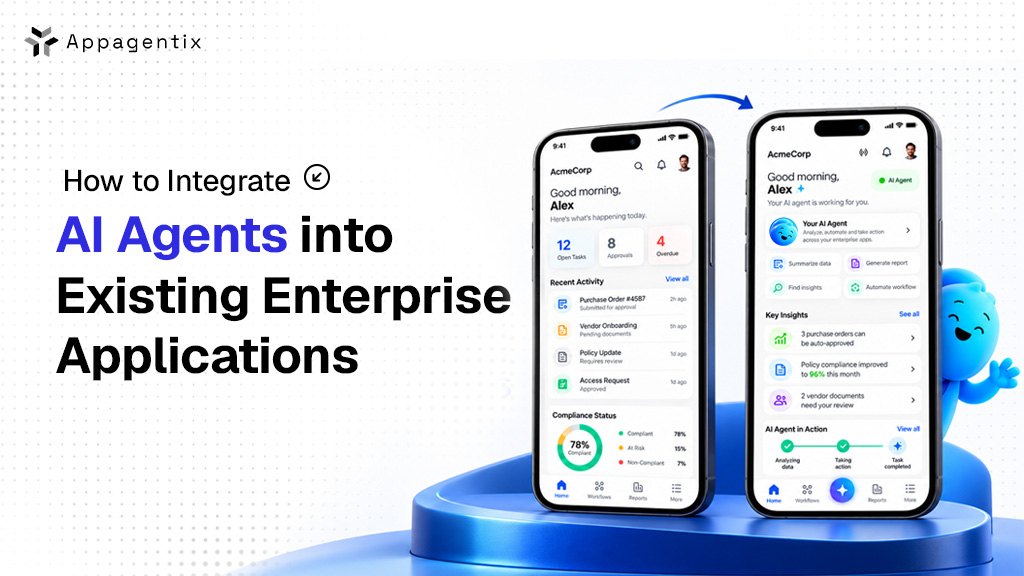
Adding AI agents to your existing enterprise applications usually takes around 6 weeks to 6 months or more, and costs between $15,000 for a focused pilot and $120,000 or more for a multi-system rollout.
You don’t need to replace your CRM, ERP or support tools to do it. In most cases, the agent sits on top of the systems you already have and works through the same APIs and permissions your team already uses.
If you run a US business or IT team and want to add AI agents to the software you already use, this blog is for you. We’ll show you where agents fit best and how to connect them, then walk you through the steps to get started. Along the way, we’ll also cover what to plan for in security, US rules and budget.
What is an AI agent, and how is it different from a chatbot?
An AI agent is not just a chatbot answering questions; it can actually get work done. You give it a goal, like “process this refund” or “update this deal in our CRM,” and it works out the steps, uses your business tools to complete them, and checks in with a person when it needs approval.
That ability to take action is what makes AI agents so useful, and it’s also why connecting them to your systems needs more care than adding a simple chat window.
Why US companies are adding AI agents now
Agents are quickly becoming part of everyday business software. Gartner predicts that 40% of enterprise applications will include task-specific AI agents by the end of 2026, up from less than 5% in 2025. Gartner
Companies are moving, but most are still early. In McKinsey’s 2025 State of AI survey, 23% of organizations said they were already scaling an AI agent somewhere in the business, while another 39% were still experimenting. Mtstandard
There is a warning you should definitely keep in mind. Gartner predicts that over 40% of agentic AI projects will be scrapped by the end of 2027 because of rising costs, unclear business value, or weak risk controls.
Where AI agents fit best in existing applications
The best place to start is a repetitive task that follows clear rules and touches more than one system. Here are some common examples:
- Customer support: Read incoming tickets, pull order details from your ERP, suggest or send a reply, and pass tricky cases to a person.
- Finance: Match invoices to purchase orders, flag mismatches and prepare payments for approval.
- Sales: Update CRM records after calls, draft follow-up emails and keep deal stages accurate.
- IT operations: Sort incoming incidents, check system logs and run approved fixes for common issues.
- HR: Handle onboarding tasks like creating accounts, sending documents and scheduling training.
4 ways to connect AI agents to your existing systems
How you connect an agent depends on what your current software allows, and most companies end up using a mix of these.
- Through your existing APIs: If your applications already have APIs, this is usually the simplest and safest option. The agent calls the same APIs your other software uses, with its own login and limited permissions.
- Through MCP servers: The Model Context Protocol (MCP) is an open standard that gives agents one consistent way to connect to tools and data. It was donated to the Linux Foundation’s new Agentic AI Foundation in December 2025, with support from Google, Microsoft, AWS and others (CIO Dive). Instead of building a custom connection for every tool, you build or reuse an MCP server once, and any compatible agent can use it.
- Through middleware or an integration platform: If your systems are spread out, an integration layer like MuleSoft, Boomi, or an event stream such as Kafka can act as the middleman. The agent talks to one place, and the middleware handles the rest.
- Through screen-level automation: For older systems with no API, an agent can work through the user interface using RPA or computer-use tools. This works, but it breaks easily when screens change, so treat it as a last resort.
If you plan to run several agents that need to work together, look at the Agent2Agent (A2A) protocol. At its one-year mark in April 2026, A2A had more than 150 supporting organizations and built-in support across Google, Microsoft and AWS platforms (Linux Foundation). Think of it this way: A2A handles how agents talk to each other, while MCP handles how agents connect to your tools and data.
How to integrate an AI agent, step by step
Here’s the process we recommend for your first agent:
- Pick one workflow (1 to 2 weeks): Choose a task where you can measure results, like hours saved or tickets resolved.
- Map the systems and data involved: List every application the agent needs to read from or write to, and check what APIs each one offers.
- Fix access and data quality first: Agents are only as good as the data they see, so clean up messy records and set up proper access before you build.
- Choose your model and framework: Pick an AI model and agent framework that fit your security needs and existing cloud setup.
- Build the connection layer: Connect the agent through APIs, MCP servers or middleware, starting with read-only access wherever you can.
- Add guardrails and human approval: Decide which actions the agent can take on its own and which need a person to sign off.
- Test with real scenarios: Run the agent against real or realistic cases in a test environment, including the tricky edge cases.
- Pilot with a small team: Launch to a small group, watch the results closely and gather feedback.
- Monitor and expand: Track accuracy, cost and time saved, then add new tasks or systems once the first one is working well.
How to keep AI agents secure
Because agents can take real actions, they also bring new security risks. The OWASP Top 10 for Agentic Applications, released in December 2025, lists the biggest ones, starting with agent goal hijacking, tool misuse, and abuse of identity and permissions (OWASP).
Here’s how you can protect your business:
- Give each agent its own identity with only the permissions it needs, never a shared admin account.
- Require human approval for high-risk actions like payments, deleting records or sending emails outside the company.
- Treat outside content as untrusted, because emails, documents and web pages can contain hidden instructions meant to trick the agent.
- Log every action so you have a full record of what the agent did and why.
- Set limits on how much the agent can spend, send or change in a given time.
US rules to keep in mind
There’s no single federal AI law in the US yet, but your agent still has to follow the rules that already apply to your business, such as HIPAA for health data, GLBA for financial data and state privacy laws like California’s CCPA.
State AI laws are also changing. Colorado, for example, replaced its original AI law in May 2026 with a narrower version that now takes effect on January 1, 2027 (Hunton Andrews Kurth). If your agent helps make decisions about hiring, lending, housing or healthcare, keep a close eye on these laws. Many US companies also use the voluntary NIST AI Risk Management Framework as a guide.
How much does it cost to integrate AI agents?
| Project size | What you get | Timeline | Estimated cost (USD) |
| Pilot | One agent, one workflow, one or two systems, human approval on every action | 6 to 10 weeks | $15,000 to $30,000 |
| Production integration | One or two agents across several systems, guardrails and monitoring | 3 to 4 months | $30,000 to $120,000 |
| Enterprise rollout | Multiple agents working together across departments, full governance | 6+ months | $120,000+ |
There are also some ongoing costs. You’ll pay for AI model usage, which grows with how much work the agent does, plus hosting, monitoring and regular updates as your systems and models change.
How Appagentix can help
Thinking about adding AI agents to your business software? Appagentix starts by finding the workflow where an agent can save the most time, then maps your current systems and gives you a clear plan and budget. From there, our team connects the agent to your existing CRM, ERP or internal tools through APIs, MCP servers or middleware. We also set up the right permissions, approval steps and activity logs, then launch a pilot with a small group.
Once the pilot is working well, we help you expand to more tasks and teams, and keep everything monitored and up to date. Working with an older system that has no API? We’ll review it and find the safest way to connect.
FAQs
Do I need to replace my existing software to use AI agents?
No. In most cases, agents connect to the already installed systems through APIs, MCP servers or middleware.
How long does it take to integrate an AI agent?
A focused pilot usually takes 6 to 10 weeks, while a production integration across several systems takes around 3 to 4 months.
Is it safe to let AI agents take actions in our systems?
It can be, as long as you set it up carefully. Give each agent limited permissions, require human approval for high-risk actions and log everything it does.
What if our system doesn’t have an API?
You can still connect through screen-level automation or by adding an API layer on top, though building an API is usually the more reliable choice.
