Imagine one of your drivers is halfway through a long day. Their phone is locked in a holder on the dashboard, the signal keeps dropping on country roads, and your team still needs to know exactly where the truck is. This is the real test of a logistics app.
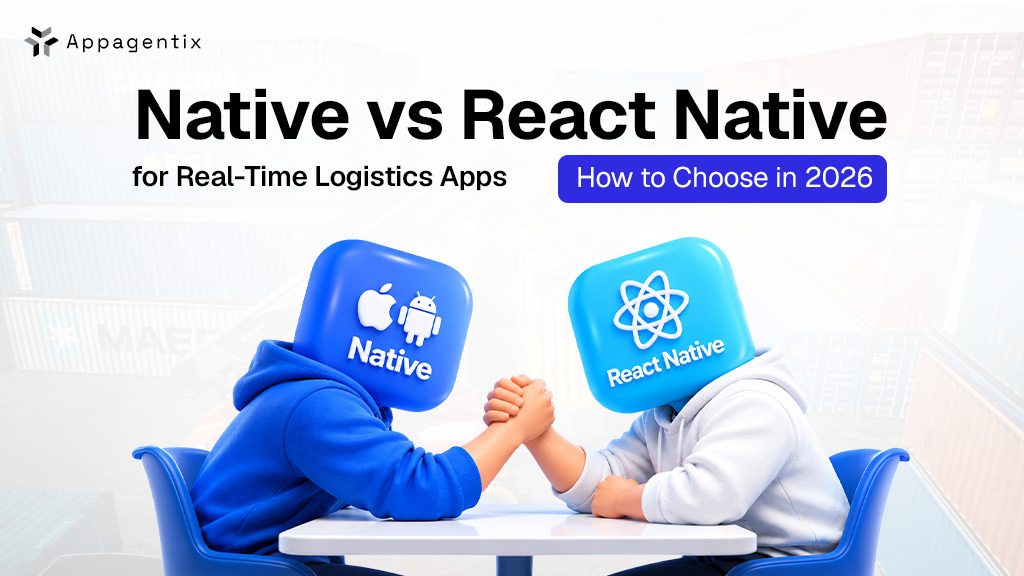
To build an app like this, you have two main choices. You can build one app for iPhone and a separate one for Android, which is called native. Or you can use React Native, which lets you build both apps at once. React Native is usually quicker and cheaper, and it works well for most delivery and tracking apps. Native is often the better choice if your app needs to track drivers all day, work with handheld scanners, or record driver hours for government rules.
In this blog, we’ll show you how each option handles tracking, weak signal, scanners, updates and cost, so you can choose what’s best for your business.
React Native vs Native for Logistics Apps: Key Differences at a Glance
| Factor | React Native | Native (Swift and Kotlin) |
| Codebase | One shared codebase for iOS and Android | Separate codebase for each platform |
| Background GPS tracking | Works well through mature libraries | Full, direct control over system tools |
| Battery control | Good, with careful setup | Finer control over motion and power settings |
| Offline sync | Built once and shared across platforms | Built and tested twice |
| Scanners and rugged devices | Needs native modules for most hardware | Works directly with device toolkits |
| Bug fixes | Many fixes can go out over the air | Every fix goes through store review |
| Upfront cost | Usually lower | Usually higher |
| Hiring | Large pool of React developers | Separate iOS and Android specialists |
How Each Option Performs in Real Logistics Work
Live GPS tracking in the background
For driver apps, tracking is the one feature you can’t get wrong. Both iOS and Android actively limit what apps can do in the background to protect battery life, so all-day tracking takes careful setup either way.
Android keeps raising the bar here. Apps targeting Android 14 and above must declare each foreground service type they use, and in Google Play Console you have to describe the feature and share a video showing it in action. google
With native code, your developers work directly with these system tools and can control exactly how and when location is collected. React Native relies on libraries for this. The best ones are mature and well-tested, but some come with a paid license, and you depend on a third party to keep pace with every iOS and Android update. If your drivers are tracked for full shifts, that extra control is often worth paying for.
Offline proof of delivery in dead zones
Loading docks, warehouses and rural routes are full of dead zones. Your app needs to save scans, photos and signatures on the device and sync them once the signal returns, without losing a single record. Both approaches handle this well using SQLite or a similar local database. With React Native, the sync logic is shared across iOS and Android, so your team builds and tests it once instead of twice.
Barcode scanners, rugged devices and Bluetooth hardware
Many US warehouses and fleets run on rugged Android handhelds from brands like Zebra and Honeywell. These devices ship with their own toolkits, and native Kotlin gets the most out of them. React Native can still work with them, usually through the device’s built-in scanning service or a custom native module, but each new piece of hardware tends to mean more native code. The same is true for Bluetooth printers, temperature sensors and in-cab telematics devices.
Live maps, ETAs and dispatch updates
For live maps, delivery lists, ETAs and status updates, React Native performs well and lets one team ship to iOS and Android at the same time. That matters for customer tracking apps and dispatcher tools, where getting to market fast and keeping the design consistent count for more than deep device access.
Pushing fixes to drivers without app store delays
One bug in a driver app can slow down deliveries across your whole fleet. With over-the-air update tools like Expo’s EAS Update, React Native teams can send fixes for the JavaScript side of the app straight to drivers’ phones, without waiting for App Store or Google Play review. Native apps go through full store review for every fix, which can take anywhere from a few hours to a few days. Over-the-air updates can’t change native code, but they cover most screen and logic fixes.
Is React Native Still Slower Than Native in 2026?
A lot of older articles still say React Native is slow because of its “bridge,” the layer that once carried every message between JavaScript and the phone. That’s out of date. React Native 0.82 was the first version to run only on the New Architecture, version 0.84 made the faster Hermes V1 engine the default on iOS and Android, and 0.85 removed the last major pieces of the old bridge.
Native still has the edge for heavy background work and deep hardware access. But for the screens most logistics users see every day, the performance gap is far smaller than it used to be.
Real Logistics Apps Built With React Native
React Native is not only for simple apps. Infinite Red built the React Native carrier app behind BulkLoads, a bulk-freight marketplace with more than 10,000 monthly users, including real-time GPS tracking that shippers can follow and in-app document scanning. infinite
Google has also invested in this space. Its React Native Driver SDK, built for delivery and fleet tracking, moved fully to React Native’s New Architecture in April 2026. github
Native or React Native? Choose According to Your Requirements
| If your app… | Better fit | Why |
| Tracks drivers in the background for full shifts | Native | Direct control over location and battery settings |
| Runs mainly on rugged scanners like Zebra or Honeywell | Native | Works directly with the device’s own scanning toolkit |
| Connects to Bluetooth telematics, printers or temperature sensors | Native | Fewer custom modules to build and maintain |
| Records driver hours as an ELD or hours-of-service app | Native | Strict federal technical rules and hardware connections |
| Is mostly maps, order lists, status updates and notifications | React Native | One codebase covers iOS and Android with strong performance |
| Serves dispatchers or fleet managers with data-heavy screens | React Native | Light device access and faster to build |
| Needs to launch on iOS and Android at the same time | React Native | One team ships both apps together |
| Will get frequent updates | React Native | Many fixes can go out over the air without store review |
| Will be maintained by a team that knows React or JavaScript | React Native | Easier to hire for and onboard |
The Hybrid Option: React Native With Native Modules for Tracking and Scanning
You don’t have to choose one stack for everything. Many logistics apps use React Native for the screens and native modules for the demanding parts, like background tracking or scanner integration. You keep most of the savings of a shared codebase and still get native control where it counts.
The tradeoff is that your team needs real iOS and Android skills alongside React Native. Without them, you’ll get stuck the first time a native module breaks after an operating system update.
Logistics App Development Cost: React Native vs Native
React Native usually costs less upfront because one team builds one codebase for both platforms, and it’s easier to hire for since many web developers already know React. Native means two codebases and often two teams, which raises both build and maintenance costs.
That gap narrows as your app needs more native modules. If most of your features are screens, forms and maps, React Native will usually cost less. If most of them involve sensors, scanners or background work, native will often cost less over the life of the app, because you avoid paying for both approaches.
How Appagentix Builds Logistics Apps That Hold Up on the Road
Appagentix helps US logistics and supply chain companies pick the right approach based on how the app will be used in the field. We look at your devices, tracking needs and team, then recommend native, React Native or a hybrid, along with a clear plan and budget.
We also take over logistics apps that have stalled, whether the problem is unreliable tracking, battery drain or a codebase that’s hard to maintain, and get them running smoothly again.
FAQs About React Native vs Native for Logistics Apps
Can a React Native app track drivers in the background?
Yes. With a well-supported tracking library and the right iOS and Android permissions, React Native apps can track location in the background. For full-shift tracking with tight battery limits, many teams add a native module or go fully native.
Is React Native good for warehouse scanning apps?
It can work, especially for simple scanning through a device’s built-in scanning service. For apps built around rugged scanners and deep hardware features, native Kotlin is usually the more reliable choice.
Can we start with React Native and switch to native later?
Yes, and many teams do it gradually by moving one feature at a time into native modules instead of rebuilding the whole app.
Which approach is better for a last-mile delivery app?
For most last-mile delivery businesses, React Native with a native tracking module is a strong starting point. It gets your driver and customer apps to market faster, and you can strengthen the tracking side with more native code as your fleet grows.