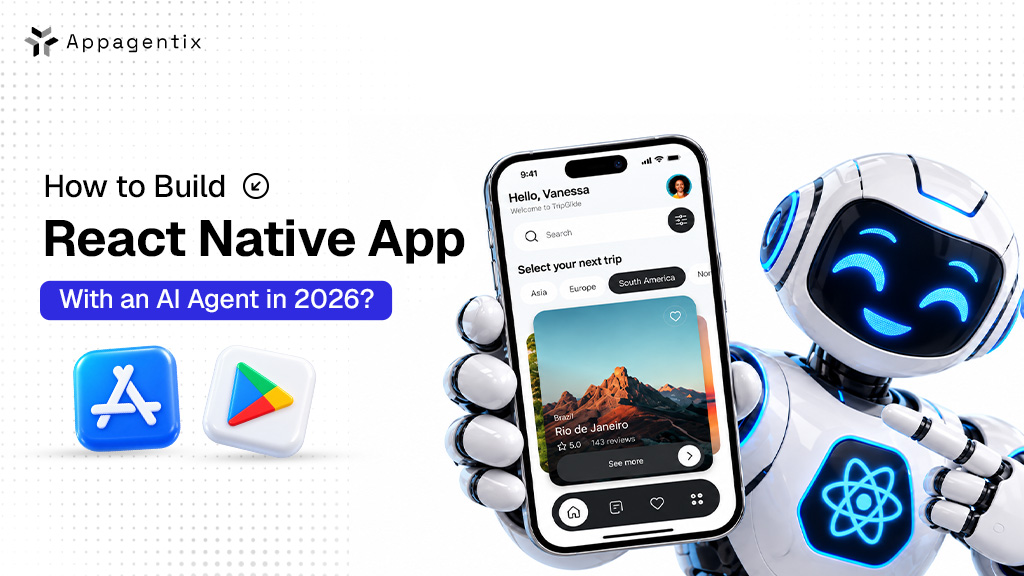
A year ago, adding AI to a mobile app usually meant adding a chatbot that answered questions. In 2026, AI is not about chatbots. They want an assistant inside the app that can actually do things for them, like book an appointment, reorder a product, track a delivery or sort out a billing problem, all from one simple request.
That’s what an AI agent does. And if you’re planning a mobile app, React Native is one of the most practical ways to build one, because it lets a single team create your iPhone and Android apps at the same time without writing separate code.
In this blog, we’ll explain what an AI agent can do inside your app, where the AI should run, the steps to build it, and what it all costs.
What an AI Agent Can Do Inside Your Mobile App
An AI agent is a smart assistant that understands what your user wants and then takes the right steps to get it done, using the features and data already in your app. Your users simply type or speak their request, and the agent will do the rest.
Here are a few examples of how businesses use them:
- Retail and ecommerce: “Reorder the same coffee beans I bought last month” turns into a finished order, ready for the user to confirm.
- Healthcare: The agent finds an open appointment slot, books it and adds a reminder to the user’s calendar.
- Logistics and delivery: A driver says “I’m running 20 minutes late”, and the agent updates the delivery time and lets the customer know.
- Banking and finance: The agent explains where a user’s money went this month and helps set up a savings goal.
- Fitness and wellness: The agent adjusts a workout plan based on how the user felt after their last session.
This shift is happening fast in business software too. Gartner predicts that 40% of enterprise applications will include task-specific AI agents by the end of 2026, up from less than 5% in 2025. gartner
Why React Native Is a Smart Choice for Apps With AI Assistants
AI features are never really finished at launch. You’ll keep improving how your assistant answers, what it can do and how it handles mistakes. React Native makes those regular updates much easier.
- One update for both phones: React Native lets one engineering team build both your iPhone and Android apps from the same code. Every improvement to your assistant reaches both apps at once.
- AI tools made for React Native: You no longer have to build everything from scratch. Callstack, a well-known React Native company, offers a free tool that lets React Native apps use Apple’s built-in AI model directly on the iPhone. Tools like React Native ExecuTorch, built on technology from Meta, let apps run smaller AI models on the phone itself. callstackinfosys
- Faster fixes after launch: Many changes can go straight to users’ phones without waiting for an app store review. That helps when your assistant gives a confusing answer, and you want to fix it the same day.
- Easier to find developers: React Native is built on JavaScript, one of the most widely used programming languages, so it’s easier to grow your team or bring in outside help.
Cloud or Local? Where to Run Your AI Assistant
Before building, you need to decide where your assistant’s “thinking” happens. There are two main options, and you can also opt for both.
Cloud AI means your app sends the user’s request over the internet to a powerful AI service, like those from OpenAI, Anthropic or Google, and gets an answer back. It’s the best option for complex tasks, long conversations and anything that needs a lot of knowledge.
On-device AI means a smaller AI model runs on the phone. It’s faster for simple tasks, works without internet and keeps the user’s data on their phone. At its June 2026 developer conference, Apple announced that its own AI models can now run on the device and through its Private Cloud Compute service, and that they can now understand images as well as text.
| Cloud AI | On-Device AI | |
| Best for | Complex tasks and long conversations | Quick, simple tasks |
| Works offline | No | Yes |
| Privacy | Data leaves the phone | Data stays on the phone |
| Running cost | You pay for every request | No per-request cost |
| Phone support | Works on almost any phone | Needs newer phones |
A smart approach is to use on-device AI for quick tasks like sending a message or filling a form, and cloud AI for the bigger jobs.
How to Build Your React Native AI Agent App, Step by Step
- Choose one job for your assistant to do well. Start small. For example, ‘help users reschedule appointments’ is a much better first goal than ‘help users with anything.’
- Decide what the assistant can do on its own. List every action it can take, like checking order status or changing a delivery time. Then decide which actions need the user to tap “confirm” first, such as payments, cancellations or anything that can’t be undone.
- Pick your AI service. Choose a cloud AI provider, an on-device option or both, based on your tasks, budget and privacy needs.
- Build a secure middle layer. Your app should never talk to the AI service directly with secret keys stored on the phone, because anyone could copy them and run up your bill. Instead, the app talks to your own server, and your server talks to the AI service and to your business systems.
- Connect the assistant to your business systems. This is where the assistant gets its power. It needs safe, limited access to things like your bookings, orders or customer accounts, through the same secure connections your app already uses.
- Design a simple, friendly experience. Decide whether users will type, speak or both. Show what the assistant is doing as it works, and make it easy to undo or cancel.
- Test with real people and some complicated task requests. Try unclear questions, typos, angry messages and attempts to trick the assistant into doing something it shouldn’t.
- Launch, watch and improve. Track what users ask for regularly, where the assistant gets confused and how much each conversation costs. Then keep improving it.
How to Keep Your AI Assistant Safe and Affordable
An AI assistant that can take action needs a few safety rules built in from the start:
- Always ask before big actions. Payments, cancellations and account changes should need a clear “yes” from the user.
- Give the AI assistant only the access it needs. If it only books appointments, it shouldn’t be able to see payment details.
- Watch out for tricky messages. People may try to fool the assistant into ignoring its rules, so test for this and add checks on your server.
- Keep a record of what it does. A simple log of every action helps you fix problems and answer customer questions.
Cloud AI also costs money every time it’s used, so set daily limits per user and keep an eye on usage, especially after launch.
What It Costs to Build a React Native App With an AI Agent
Costs depend mostly on how much the assistant can do and how many of your systems it connects to.
| App type | What you get | Timeline | Estimated cost (USD) |
| Starter AI app | One assistant for one main task, cloud AI, iPhone and Android | 2 to 3 months | $15,000 to $30,000 |
| Growth AI app | Several tasks, voice input, connections to your business systems | 3 to 5 months | $30,000 to $70,000 |
| Advanced AI app | On-device and cloud AI, many connected systems, admin dashboard | 5+ months | $70,000+ |
On top of building the app, plan for monthly AI usage costs, which grow with how many people use the assistant and how often.
How Appagentix Can Help
Thinking about adding an AI assistant to your app? Appagentix helps US businesses plan and build React Native apps with AI agents that are useful, safe and ready for the app stores.
We help you pick the right first task, choose between cloud and on-device AI, set up a secure server, connect your business systems and build the permission screens Apple and Google expect. After launch, we help you track usage, control costs and keep improving your assistant.